For information on how to connect to Class, click here.
Copy funds into Class
When you receive the documentation for a SMSF establishment, the Class Super option will appear under "integrations":
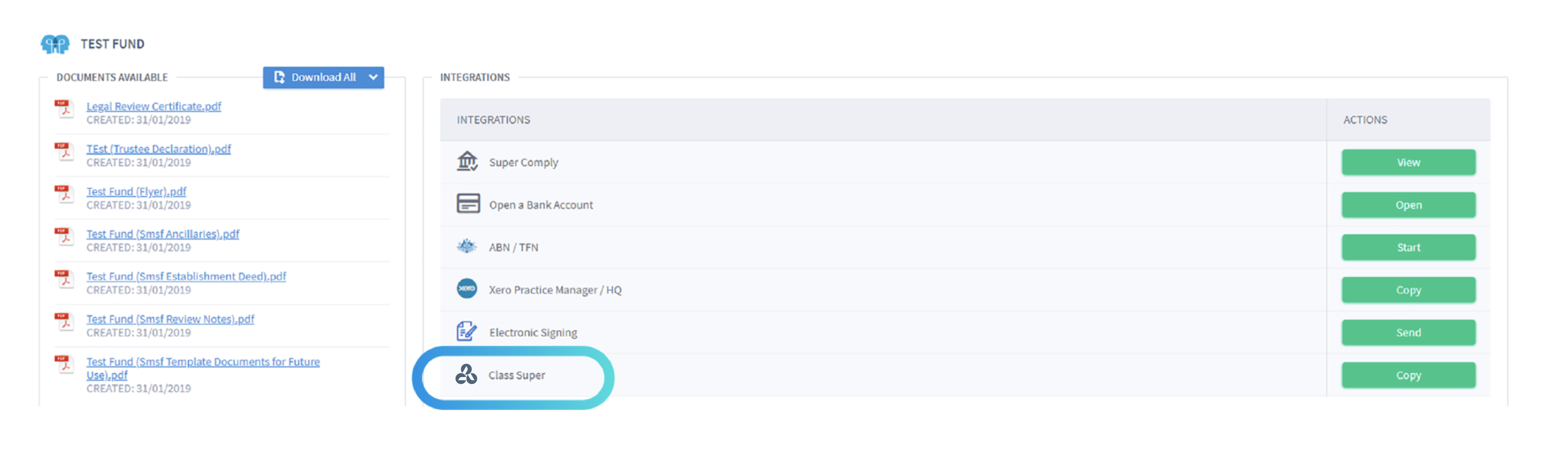
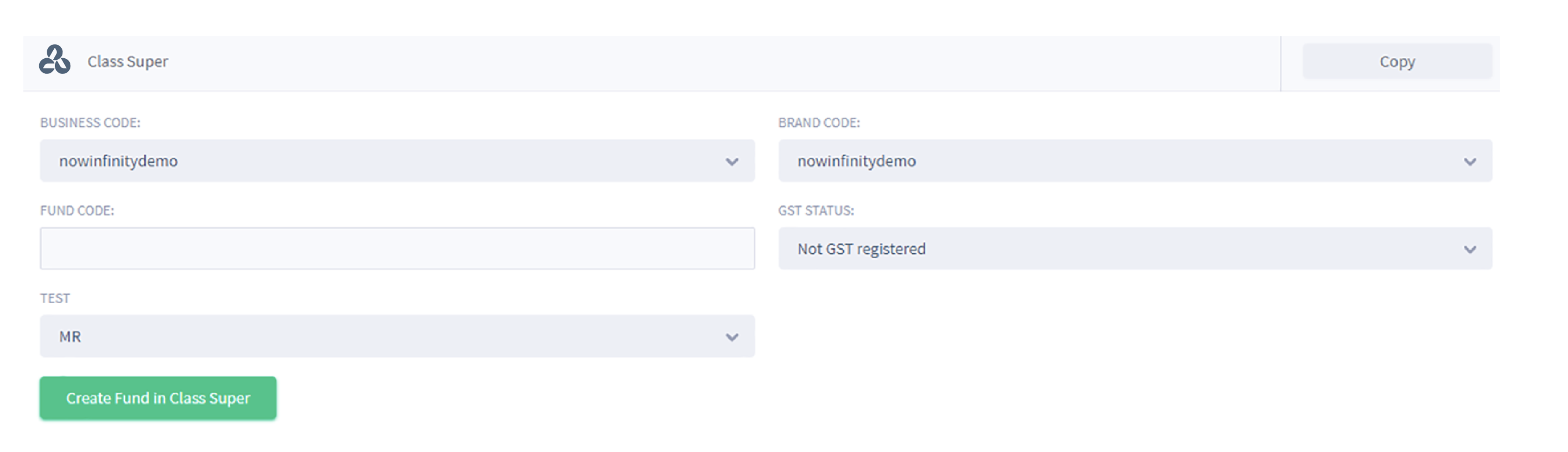
Click on Copy, enter the required information and click on "Create Fund in Class Super":
Importing data into SMSF documents
When creating a document for a SMSF have the option to import data from Class Super by clicking on the integration icon:

Click on the Class Super logo:

Search for the name of the fund and click on "Select":

The below details of the Fund are pre-populated into the form: